
Innbucks is one of the go-to mobile payment rails in Zimbabwe, and LuckyBets has it on its banking page. LuckyBets Innbucks offers a simple and convenient way to manage funds for your betting transactions.
Bettors can top up their balances and claim winnings using Innbucks. But exactly how much can you deposit and withdraw using the payment platform? How long will it take for funds to reflect? And will you experience any delays during transactions? We unpack everything you need to know about how to use Innbucks at LuckyBets, backed by screenshots from real testing.
-
 LuckyBetsUp to 80 Free Aviator Flights

Does LuckyBets Accept Innbucks in Zimbabwe?
LuckyBets supports Innbucks payments. Therefore, you can deposit money directly from your Innbucks wallet into your betting account. You obviously need to set up an Innbucks account if you don’t already have one. You do this by visiting the Innbucks official website or downloading the app. From there, you follow the registration prompts. It takes less than a few minutes to set up the account.
In the same vein, you also need to register with LuckyBets to initiate any Innbucks transactions. Deposits start at only $1. Withdrawals can also be made through Innbucks. However, the payment platform imposes a minimum withdrawal of $5. From what we’ve seen, these minimum deposit and withdrawal limits aren’t exclusive to LuckyBets. They are standard limits for online betting transactions using Innbucks across various betting sites.
LuckyBets Innbucks withdrawals are direct. In other words, they bypass third-party scrutiny and hit your wallet straight away.
How to Deposit on LuckyBets Using Innbucks – Step-by-Step Process
Here’s a detailed step-by-step guide on how to deposit money using Innbucks. As mentioned, you must be registered with LuckyBets before you can deposit. Once you’ve set up your profile and your account is up and running, follow these steps.
1. Log into LuckyBets
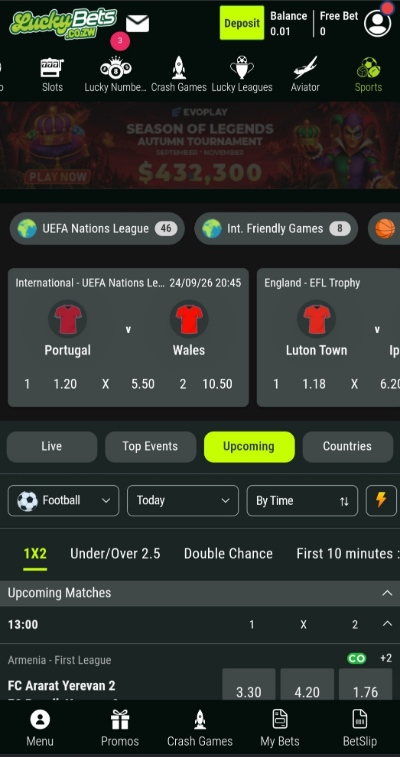
Log in to your LuckyBets page via the login page. You must enter your phone number and password, click “Login” and you’re signed in to your account. Note that these are the login credentials obtained when you registered with LuckyBets. The phone number should be linked to Innbucks.
2. Go to Cashier
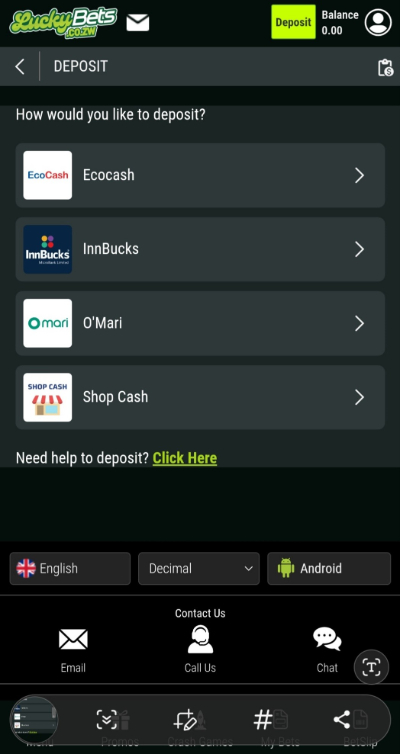
Click on the green Deposit tab at the top. A list of payment options supported by LuckyBets is displayed horizontally.
3. Select Innbucks
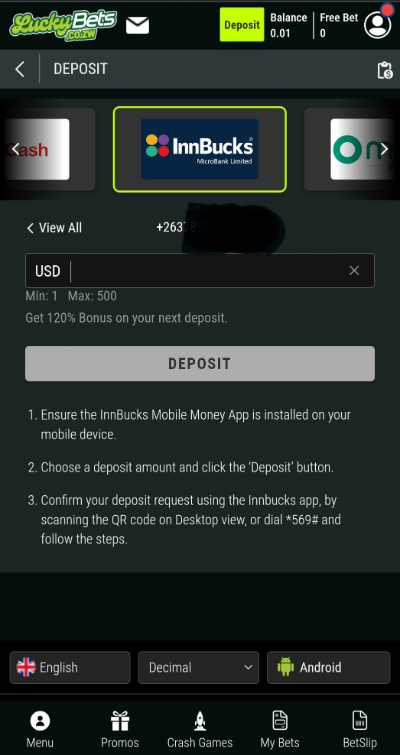
Swipe to the left to get to Innbucks. You’ll know you’re in the right spot when a neon green border highlights Innbucks. Your phone number is displayed, including the deposit amount field in USD. Double-check that it’s the correct one.
4. Enter Amount
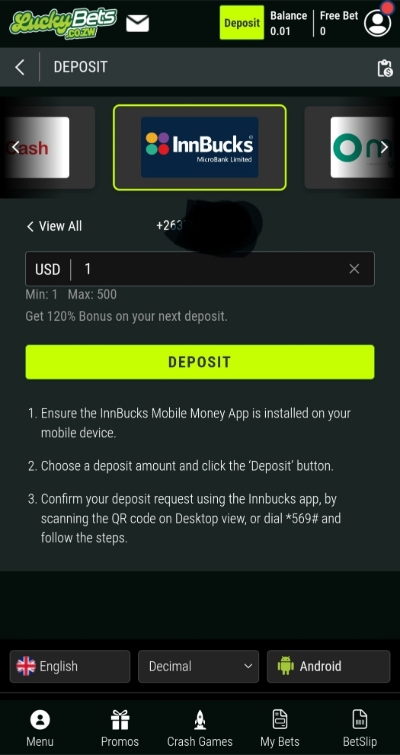
Go ahead and enter the amount you want to deposit, paying attention to the minimum thresholds. Thanks to the low minimum deposit limits, LuckyBets sits as one of the accessible $1 deposit betting sites for small to medium bettors. However, you can’t deposit anything less than $1. The most you can deposit using Innbucks is $500. Tap Deposit to proceed.
5. Confirm on Phone
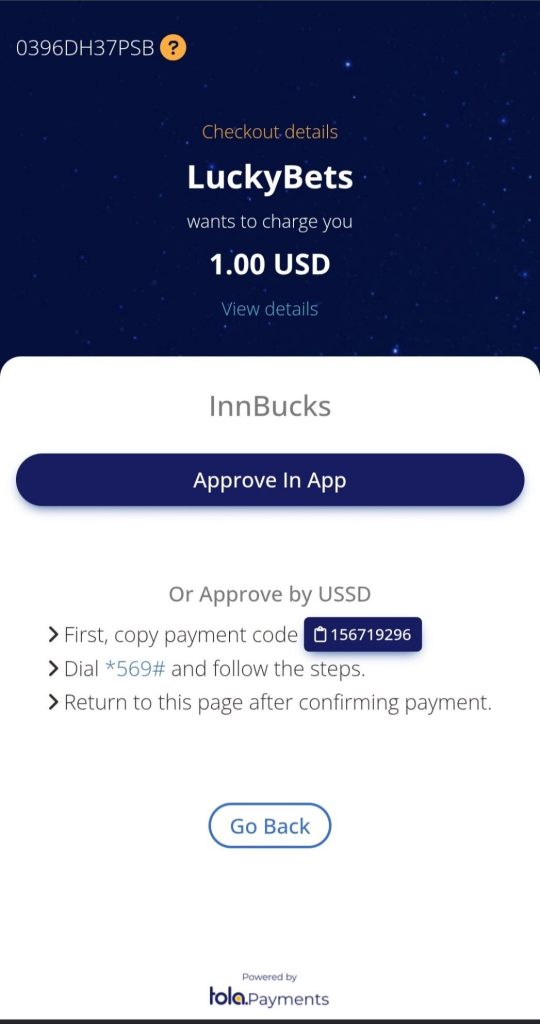
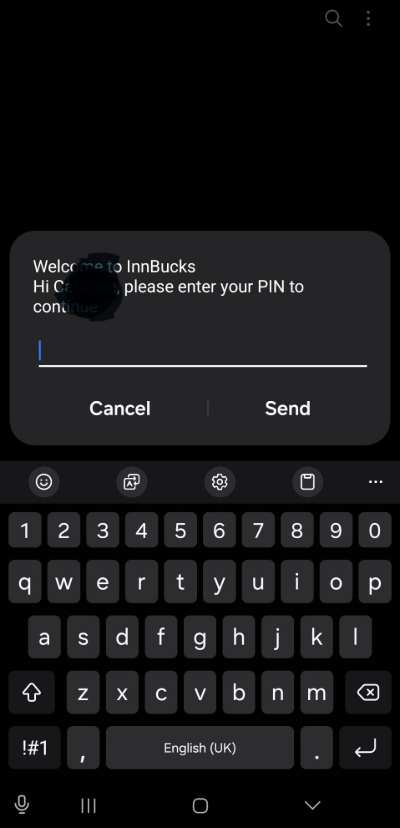
Confirm the transaction via your Innbucks app or using USSD. The system generates a one-time payment code in case you go with USSD. Make sure you copy it. We went the USSD route and dialed *569# as shown in the image below. From there, you enter your 4-digit Innbucks PIN and hit “Send”. Select USD currency and enter the payment code you copied earlier to complete the transaction.
6. Funds Reflect
If everything is above board, your deposit is credited to your LuckyBets betting account, and your balance is updated right away. You’re now free to wager on any sports outlined in our LuckyBets review. Deposits using Innbucks are completely free of charge.
LuckyBets Innbucks Deposit Limits
All LuckyBets Innbucks deposits are processed in USD. Make sure you select the correct currency as you deposit. You can get started with as low as $1 per transaction. The standard daily deposit limit is set at $500, and this is also the Innbucks wallet limit before KYC. If you complete KYC, your Innbucks maximum deposit limit is $1,000.
That said, you can’t increase your LuckyBets deposit limit even if your Innbucks threshold is capped at $1,000. These limits are fixed, and neither regular players nor high rollers can manually adjust them, so be guided accordingly.
Can You Withdraw from LuckyBets via Innbucks?
You’re welcome to claim winnings sitting in your LuckyBets balance via Innbucks. LuckyBets Innbucks withdrawals are also direct. That means money is moved straight from your betting account to your wallet without any clearing house intercepting your funds. As a result, payout timelines are much quicker. You don’t necessarily have to upload your ID to request Innbucks withdrawals.
Verifications may be required if you withdraw large amounts or if LuckyBets flags fishy transactions. To retrieve hard cash from your Innbucks wallet, visit any Simbisa brand like Pizza Inn. You’ll need to present your ID to cash out.
How to Withdraw from LuckyBets – Step-by-Step Withdrawal Process
It’s easy to request a cash out from your LuckyBets account using Innbucks. You can only withdraw money available in your withdrawable balance. These are winnings generated from betting on the site. You can’t withdraw funds without wagering first.
1. Go to Cashier
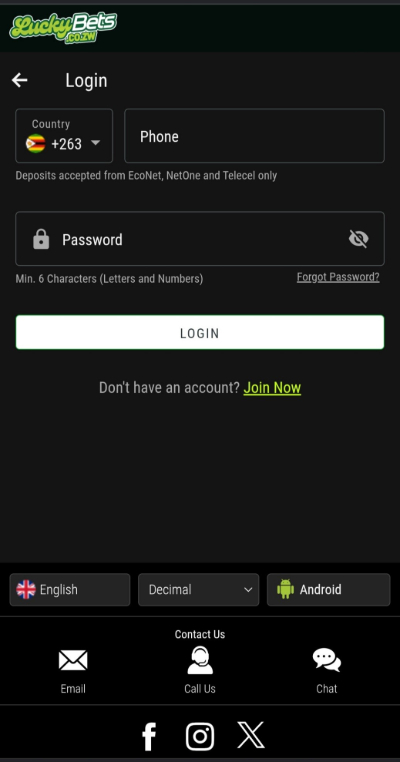
If you’re not already logged in, go to the LuckyBets official website and click the white Login tab. Submit your login details to sign in to your LuckyBets account. It’s easier to log in if you’ve previously saved your login credentials on your device.
2. Select Withdrawal
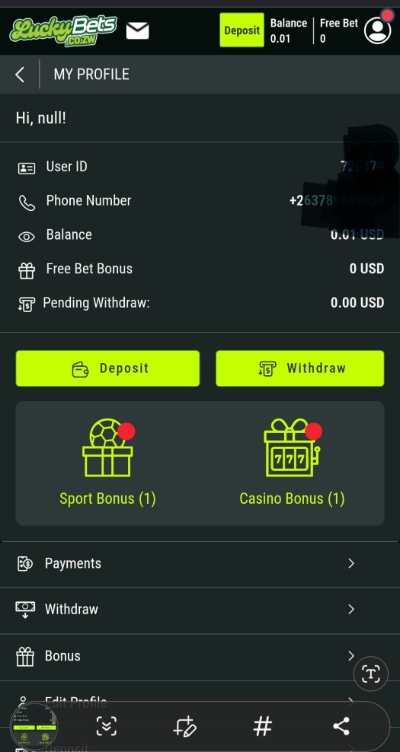
Tap on your account profile icon in the top right corner. You’ll notice information such as your User ID, phone number linked to Innbucks, and any bonus amount. Just below are Deposit and Withdraw tabs highlighted in green. Tap on Withdraw.
3. Choose Innbucks
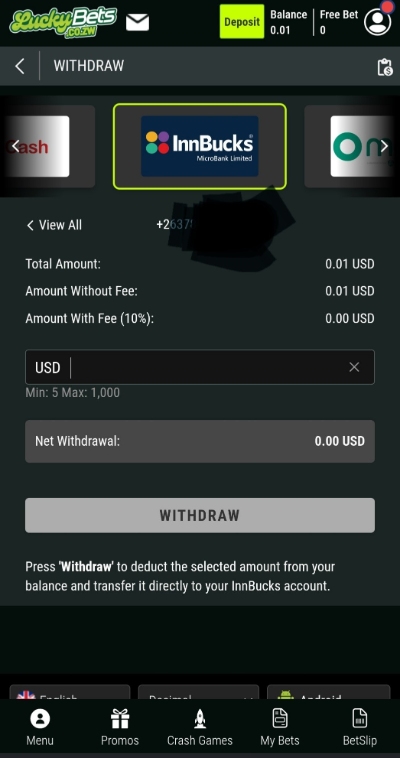
A list of withdrawal options supported by LuckyBets is displayed on the screen. Select Innbucks to open up the payment platform’s banking page.
4. Enter Amount
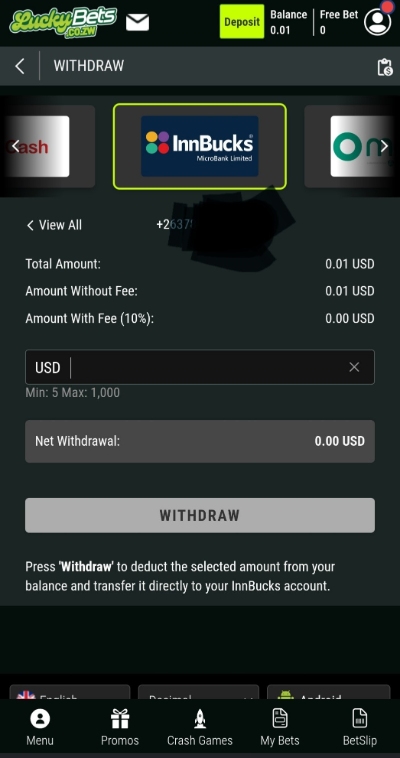
Type in your withdrawal amount. It can be any amount between $5 and $1,000. There’s no need to enter your phone number. It’s already displayed on the screen. Tap on Withdraw once you’re done. LuckyBets charges a 10% cash out fee for all Innbucks withdrawals.
5. Confirm
A message will pop up asking you to approve the withdrawal in your app or using USSD. If you select the app, you’re immediately directed to your Innbucks app. You’re prompted to enter your 6-digit PIN to log in. Confirm the transaction.
6. Processing Time
Usually, LuckyBets processes your withdrawal right away, especially for small amounts. As previously mentioned, the minimum you can cash out is $5. $1,000 is the maximum withdrawal amount per transaction. Your withdrawal may be placed on hold if it’s a large amount. In which case, the LuckyBets team will advise you on next steps.
LuckyBets Withdrawal Time – What to Expect
Withdrawals are typically processed within 1 minute, placing LuckyBets as one of the fastest Innbucks withdrawal sites. Timelines can be quicker if there are no network challenges or system downtimes.
You’re not obligated to send through your ID or proof of residence to withdraw using Innbucks at LuckyBets. However, the team may occasionally request verification documents at their discretion.
Common LuckyBets Payment Issues (And Fixes)
Making payments using Innbucks is usually hassle-free at LuckyBets. However, you can run into a few challenges from time to time. Some problems are man-made while others are purely technical. Let’s troubleshoot a few below:
Innbucks PIN Issues
If you approve your transaction via USSD, you must enter your PIN quickly before the session expires. If it expires, restart the process and a new code is regenerated.
Verification Delays
In the event that the LuckyBets team requests verification, make sure you upload a clear copy of your government-issued ID or driver’s license to avoid delays.
Bonus Wagering
Don’t attempt to withdraw before you complete wagering on any bonuses you used. This will just stall the withdrawal process.
Is LuckyBets Safe for Innbucks Users?
LuckyBets is a legitimate betting site regulated by the Lotteries and Gaming Board of Zimbabwe, making it safe for Innbucks users. It’s part of the Innbucks betting sites that have been issued gambling licenses to offer their services in the country.
All the sensitive personal and financial information you share on the LuckyBets platform is protected by advanced SSL encryption. Unauthorised parties won’t be privy to your information. It costs nothing to load funds into your betting account using Innbucks, although withdrawals attract a fee. Many players have labelled LuckyBets reliable for a fairly new betting site. They are happy with the quick deposits and withdrawals which don’t trigger compulsory KYC verification.
Final Verdict on LuckyBets Innbucks Payments
It’s easy to top up funds and withdraw winnings using Innbucks at LuckyBets. Deposits are instant and free of charge. Withdrawals are processed without delay if everything is in order. You may experience delays if there are payment discrepancies, network issues, or if you request a large withdrawal.
But overall, you’re dealing with an upstanding betting site that supports seamless Innbucks transactions. Just make sure you’re using a phone number linked to Innbucks to avoid any hiccups.
-
LuckyBetsUp to 80 Free Aviator Flights