
Most of us bet on our phones, but a betting app isn’t automatically the better choice. It costs data to download, it takes up space, and on some sites the app can’t do everything the website can. On others, you’d struggle to find an app at all.
We’ve looked at the apps from Zimbabwe’s main betting sites with three questions in mind: how much data and storage they cost you, whether they work on your phone, and whether you can top up with EcoCash without leaving the app. Here are the ones worth installing.
-
 LuckyBetsUp to 80 Free Aviator Flights
-
MWOS100% up to $500
-
AfricaBet100% Casino bonus up to $100 25x wagering. $10 min deposit
-
Spin CityDeposit $1 Get 10 Free Spins
-
PremierBet100% up to $100 + 50 Free Spins
-
Winbucks10 Avrika free spins after $1 deposit






Betting apps at a glance: size, phones and EcoCash
Data is the first cost of any app, so we’ve listed the sizes we found. They change slightly with every update, and where a bookmaker doesn’t publish a size, we say so.
| App | Size | Android | iPhone | EcoCash in the app |
|---|---|---|---|---|
| LuckyBets | 3.86 MB download, about 8 MB installed | APK from LuckyBets | No, use the mobile site | Deposits from $1 |
| MWOS | Not published | APK from MWOS | No, use the mobile site | EcoCash and InnBucks |
| AfricaBet | 38.87 MB | APK, Android 6.0 and above | No, use the mobile site | EcoCash and InnBucks |
| Spin City | 31.46 MB download, 199 KB installed | APK from Spin City | No, use the mobile site | Deposits from $1 |
| Premier Bet | Not published | APK from Premier Bet Zimbabwe | Yes, App Store (iOS 15.5+) | EcoCash, InnBucks and O’Mari |
| Winbucks | Not published | Android app | No | EcoCash, InnBucks and O’Mari |
None of these apps is on Google Play. On Android you download an APK from the bookmaker’s own website, and we explain how to do that safely further down.
The best betting apps in Zimbabwe, ranked
1. LuckyBets: The best all-round app
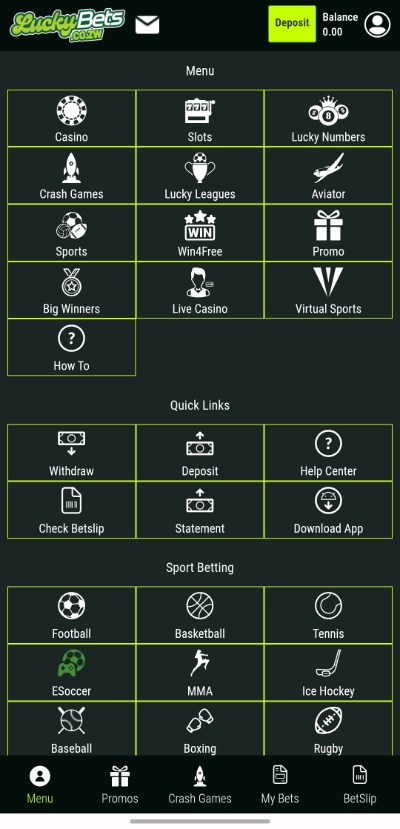
LuckyBets packs a lot into a small download. The APK is only 3.86 MB, so it won’t eat into your bundle, and the installed app takes up just over 8 MB. Despite that, nothing feels cut down: you move between sports, casino, crash games, Aviator and Lucky Numbers from the main menu, and pages load without lag.
Building a bet is where it shines. Tap a price and it drops straight into your betslip, with a counter showing how many selections you’ve picked, so you can keep browsing. Accumulator boosts show in the slip too, so you can see exactly how they change your return.
The cashier is inside the app. Choose EcoCash, check your prefilled number, enter at least $1 and approve the prompt on your phone. InnBucks, O’Mari and Shop Cash are there too. The one hurdle is installation: Android blocks unknown apps by default, and Samsung’s Auto Blocker may need switching off for a moment. There’s no iPhone app. Read our LuckyBets review or the LuckyBets EcoCash guide.
2. MWOS: Best for regular football bettors
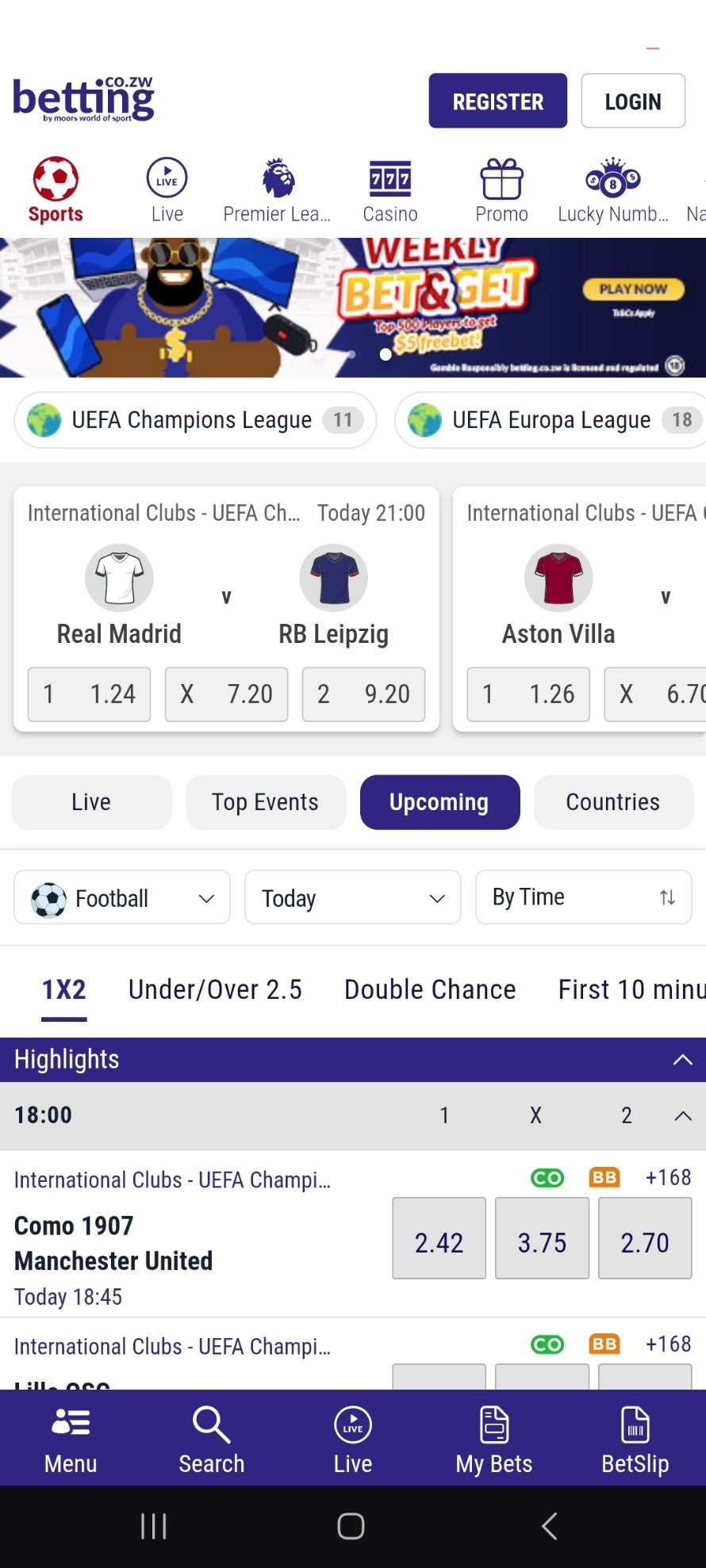
If you check your tickets several times a day, the MWOS app saves you a lot of tapping. Sports opens on the upcoming fixtures, there’s a Premier League shortcut and team search, and Live keeps in-play matches separate from games that haven’t started. My Bets takes you back to your tickets, with Cash Out offered on eligible bets.
You get the APK from MWOS’s official download page and sign in with your normal website login, so there’s no second account or separate balance. The casino, Aviator and Navigator each have their own shortcut, and the cashier handles EcoCash and InnBucks. MWOS doesn’t publish the app’s size, and there’s no iPhone version. See our MWOS review and MWOS EcoCash guide.
3. AfricaBet: Best for saving data
AfricaBet’s app is the biggest download here at 38.87 MB, but once it’s installed it’s built to use very little data, which matters more over a month of betting than the one-off download. It runs on Android 6.0 and above, so older phones are covered too.
It’s a sportsbook-only app, with the casino in a separate download, so there’s less clutter between you and your markets. Biometric login lets you sign in with your fingerprint, you can live stream selected matches when you have money in your account, and Cash Out and a Favourites tab are a tap away. EcoCash and InnBucks both work in the cashier. iPhone users have to use the mobile site. Read our AfricaBet review and AfricaBet EcoCash guide.
4. Spin City: Smallest app for Aviator and slots
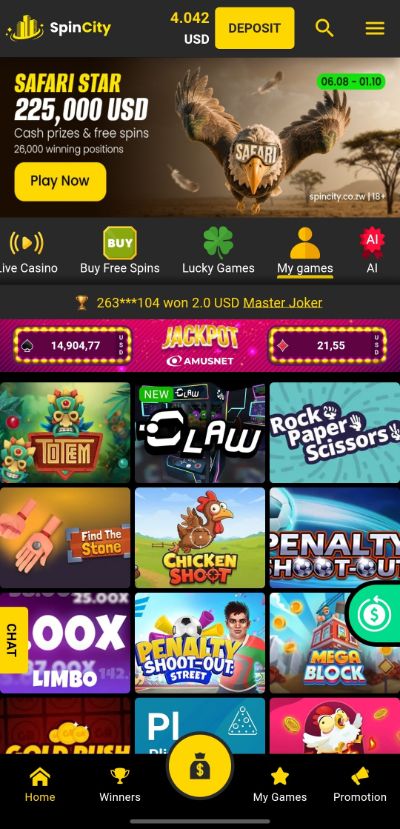
Spin City’s installer is 31.46 MB, but the app itself takes up just 199 KB, so it’s the easiest one to keep on a phone that’s always short of space. It’s casino-only, with no sportsbook, and it’s built around Aviator, crash games and slots.
Tabs along the bottom take you to Home, Winners, My Games and Promotion, and a search button saves you scrolling through the lobby. The Promotion tab shows each offer as a card, the help centre opens inside the app, and you can set a 24-hour, one-week or one-month break from your profile settings. Deposits with EcoCash start at $1 and are made in the app. Install updates when Spin City prompts you, because an old version can stop working properly. See our Spin City review and Spin City EcoCash guide.
5. Premier Bet: The only one with an iPhone app
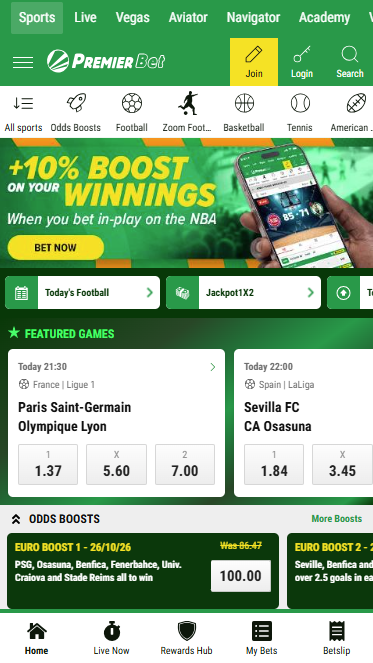
If you have an iPhone, Premier Bet is your only real app option. It’s listed as Premier Bet Sports Betting in the Zimbabwe App Store and needs iOS 15.5 or later. Check that the developer is GOAT & PARTNERS MALTA LIMITED before you install it. Android users download the APK from Premier Bet’s Zimbabwe website. Make sure it’s the Zimbabwe site, because Premier Bet runs in several countries and the payment options differ.
Inside, you get sports, live betting, the casino and Aviator, plus a Rewards Hub. Items in the Rewards Hub, such as free bets and free spins, aren’t the same as cash in your balance. EcoCash, InnBucks and O’Mari all work in the cashier. Premier Bet doesn’t publish the Android app’s size. Read our Premier Bet review.
6. Winbucks: A new casino app with $1 deposits
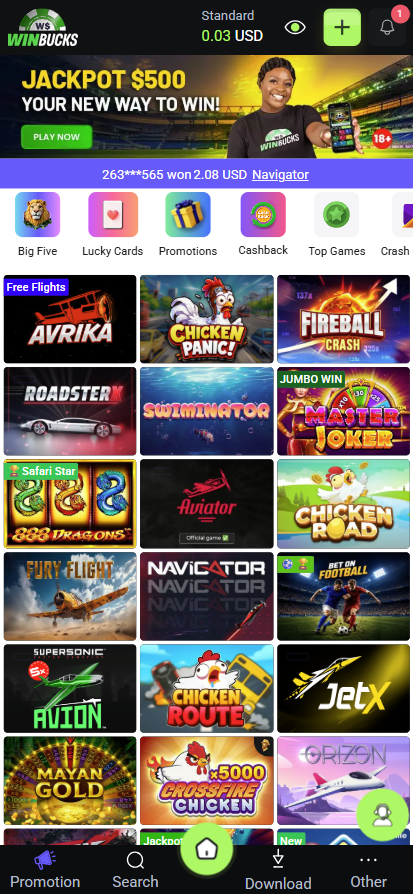
Winbucks launched in 2026 and offers an Android app for its casino-led site. It’s a good fit if you want to start small: EcoCash, InnBucks and O’Mari all take deposits from $1, payments are free, and our EcoCash deposit and withdrawal both went through almost instantly when we tested the site.
There’s no iOS app, Winbucks doesn’t display licence details, and as a brand-new operator it has a short track record. Read our Winbucks review.
Betting sites without a usable app
These sites either have no app or have one that isn’t much use to an EcoCash player. You can still bet on all of them through your phone’s browser.
1. JumboBets: An APK, but no online deposits
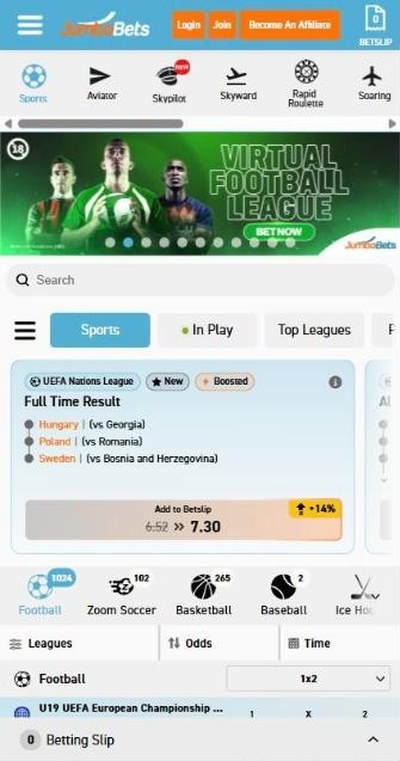
JumboBets does offer an Android APK, and its mobile layout is one of the better ones. The problem is funding it. There’s no EcoCash, InnBucks or card deposit online, so every top-up means a trip to one of its shops. That’s why it sits here rather than in our main list. JumboBets review
Beulabet
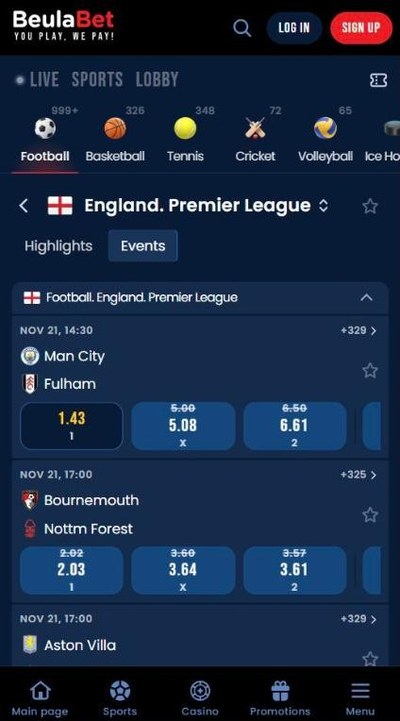
Beulabet doesn’t list an app download, but its mobile site handles everything, including $1 EcoCash deposits. Beulabet review
BolaBet
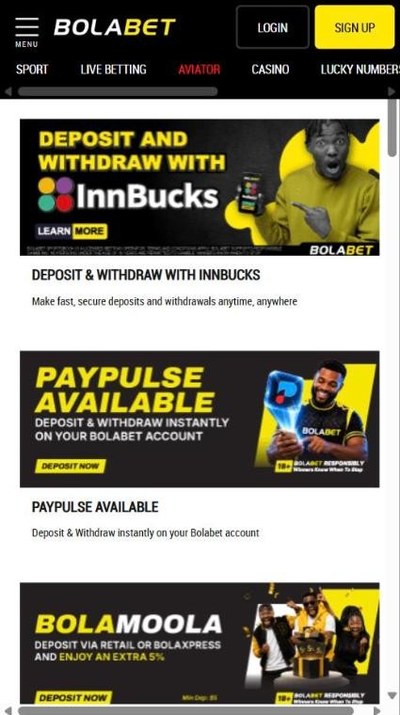
BolaBet mentions an app, but there’s no download link in the site footer. The mobile site keeps the main menu within reach and takes EcoCash through PayPulse. BolaBet review
Streambet
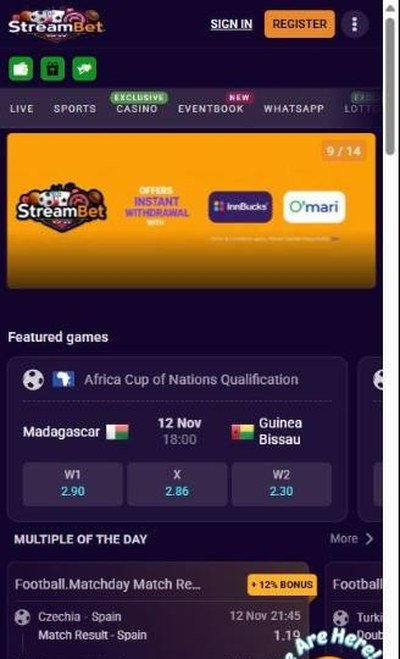
Streambet has no app, but its separate mobile site is quick, with Live, Sports, BetSlip, Casino and Menu in a bottom bar. You can also place bets over WhatsApp and Telegram, which helps on a small data bundle. Streambet review
ShashaBet and bet247
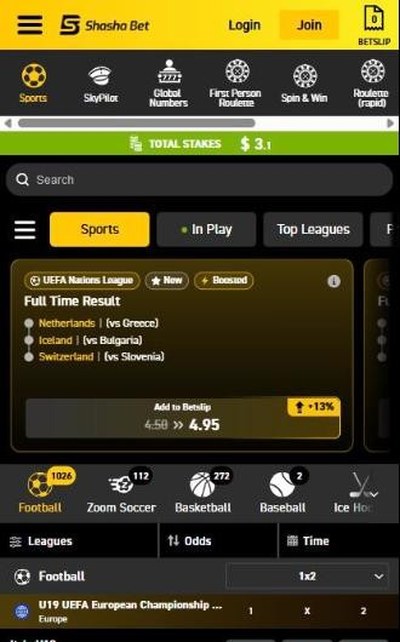
Neither has an app. ShashaBet’s mobile sportsbook is simple to navigate, and bet247 has a modern layout, but neither publishes its payment methods, so check how you can deposit before you sign up. ShashaBet review | bet247 review
How to install a betting app (APK) safely
Because these apps aren’t on Google Play, Android treats them as “unknown apps” and blocks them until you give permission. That’s normal. The important part is where the file comes from.
- Start on the bookmaker’s own website. Use the buttons on this page or type the address yourself, then find the app download link, usually at the bottom of the homepage.
- Let the download finish. Opening a half-downloaded APK gives an error that looks like a broken app.
- Allow installs from your browser. When Android shows a warning, tap Settings and allow installs from that browser only.
- Install, then switch the permission off. Once the app is on your phone, go back and turn off the permission you just gave.
- Log in with your usual account. The app uses the same login and balance as the website.
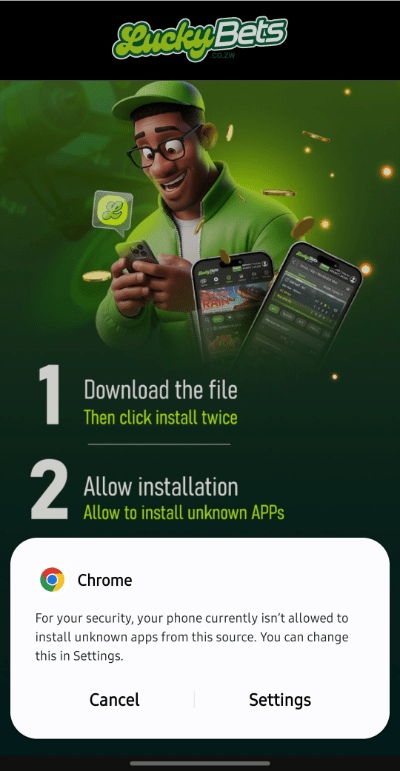
On Samsung phones, Auto Blocker can still stop the install after you’ve allowed your browser. Switch it off briefly, install the app, then turn it back on.
Never install a betting APK someone sends you on WhatsApp, and ignore any “modded” app that promises fixed matches, Aviator predictions or free money. Real bookmakers only distribute their apps from their own websites.
Betting on an iPhone
APK files only work on Android, which is why most Zimbabwean betting apps leave iPhone users out. Premier Bet is the exception, with an app in the Zimbabwe App Store. For every other site, you can get something very close to an app in a few seconds:
- Open the betting site in Safari.
- Tap the Share button and choose Add to Home Screen.
- Name the shortcut and tap Add. It now opens the site straight from your home screen.
App or mobile site: which should you use?
Your account, bets and EcoCash payments are the same either way, so the choice comes down to your phone and your data:
- Choose the app if you bet most days. It opens faster, keeps you logged in, and some apps add extras like AfricaBet’s fingerprint login and live streaming.
- Choose the mobile site if your phone is short on space, you only bet now and then, or you’d rather not change your security settings to install an APK.
- Watch your data either way. The download is a one-off cost, but live betting and streaming use data every time you open them.
Depositing with EcoCash through an app
The steps are almost identical in every app. Open Deposit, choose EcoCash, check that the number shown is the one registered to your wallet, enter the amount and tap Deposit. A prompt then appears on your phone asking for your EcoCash PIN. Enter it, and the money usually shows in your balance straight away.
If the prompt doesn’t appear, don’t keep tapping Deposit, because you could end up paying twice. Wait a minute, check your EcoCash messages and contact support with the reference if money has left your wallet. Our step-by-step guides for LuckyBets, MWOS, AfricaBet and Spin City show every screen.
Downloading an app doesn’t give you a second welcome bonus. If you already claimed one on the website, the app uses the same account and the same offer history.
Betting apps: FAQs
📶 Is there a betting app that doesn’t use data?
Every betting app needs an internet connection to load odds and place bets. AfricaBet’s sportsbook app is built to use as little data as possible, which makes it the best choice on a small bundle. Streambet has no app, but it lets you place bets over WhatsApp and Telegram, which can also help if your data is limited.
🔐 Are betting APKs safe to install?
They are when you download them from the bookmaker’s own website. The risk comes from copies shared on WhatsApp groups or APK download sites, which can be out of date or tampered with. Allow installs from your browser only while you install the app, then switch the setting off again, and never trust a file that promises fixed matches or free money.
🍏 Can I use a betting app on an iPhone?
Premier Bet is the only site on this page with an iPhone app, listed as Premier Bet Sports Betting in the Zimbabwe App Store. For every other site, open the mobile website in Safari, tap Share and choose Add to Home Screen. You get an icon that opens the site like an app, with the same login and EcoCash cashier.
👤 Do I need a new account to use the app?
No. You log in with the same details you use on the website, and your balance, bets and bonuses carry across. Installing the app doesn’t make you eligible for a second welcome bonus, though.
⚠️ Why won’t the app install on my phone?
Usually Android is blocking installs from your browser. Tap the Settings link in the warning and allow installs from that browser. On Samsung phones, Auto Blocker can stop the install even after that, so switch it off briefly and turn it back on afterwards. If the file still won’t open, delete it, download a fresh copy from the bookmaker’s site and check that your phone has enough free space.