
It takes a minute tops to MWOS register. Before you know it, you can place your first deposit and start betting. Account verification is a must before you’re allowed to cash out your first winnings. We address everything you need to know about joining MWOS, including some troubleshooting tips.
-
 MWOS100% up to $500

How to Register at MWOS Zimbabwe?
You can MWOS register from a computer or phone. It’s your call. Let’s walk you through the mobile sign-up process.
Step 1: Launch MWOS.co.zw Sign Up Website
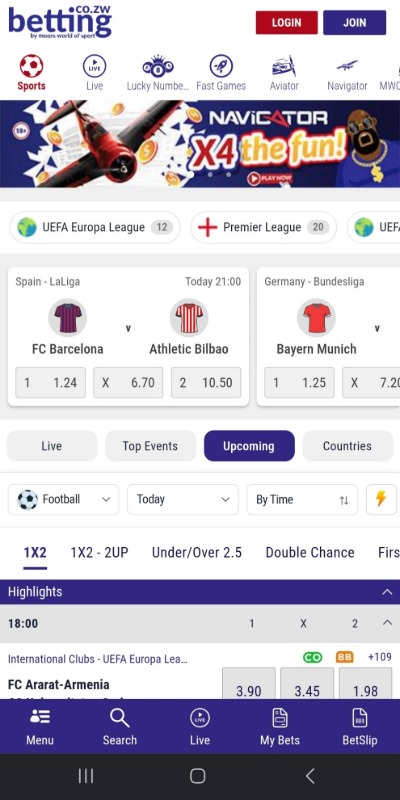
Click any of the Join Now buttons on this page to visit the official MWOS home page.
Step 2: Click on the JOIN Button from the Menu
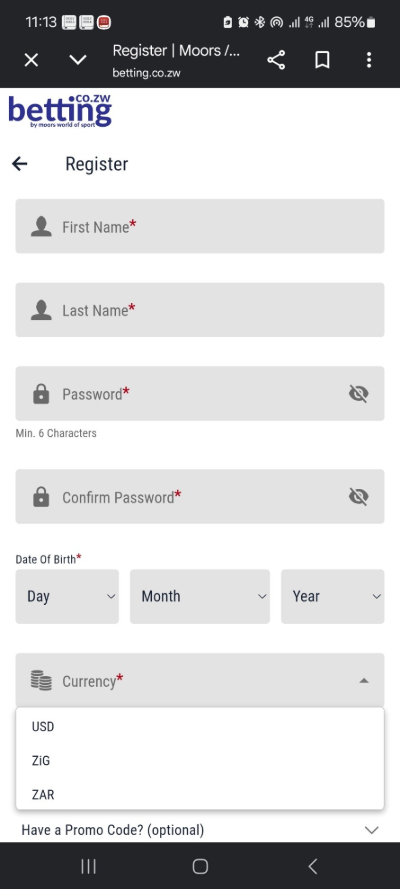
Click on the blue “JOIN” button in the top right corner to start MWOS sign up. A registration form immediately pops up. Enter your phone number, full name, password, date of birth, currency, and National ID number.
Step 3: Read and Accept the Terms and Conditions
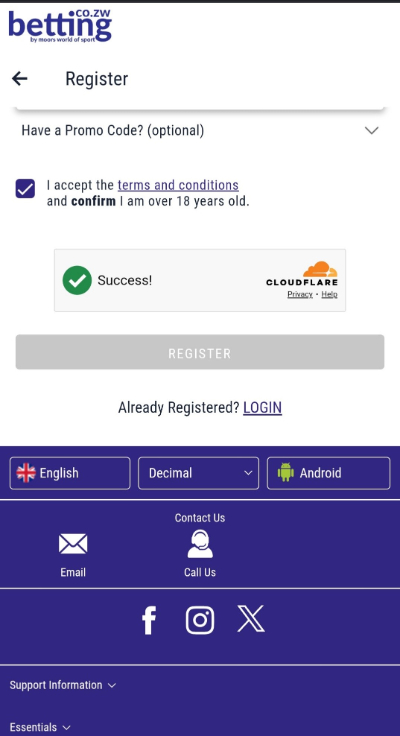
Confirm whether you have a MWOS promo code or not. If not, ignore the promo code field. Check the small blue box to accept the terms and conditions and confirm you’re above 18 years old. Click “Register”.
Step 4: Log in
You’re automatically logged into your new MWOS betting account. There’s no need to complete any phone verification. You can immediately head over to the deposit section, fund your account, and place your wager.
How to Activate Your MWOS Account
It’s all systems go the minute you MWOS register. You can hit the blue Deposit tab in the top right corner and make your first deposit. A deposit as little as $1 can activate the sportsbook welcome bonus. Once your deposit reflects, you’re free to back your favourite team or play a casino game.
While you can claim bonuses and wager soon after registration, as you’ll find at most Ecocash betting sites in Zimbabwe, you must verify your account to withdraw your first winnings.
Wondering how to activate MWOS account for cash withdrawal? Provide the team with a copy of your ID, a selfie of yourself holding the document, and a bank statement or utility bill. The team reviews your documents and approves or declines your account within 24 to 48 hours.
MWOS ZW Login Process
Logging into your MWOS account takes only a few seconds. Make sure you have your login credentials on hand if you haven’t memorized them. We’ve detailed the steps as follows.
Step 1: Visit the MWOS Website
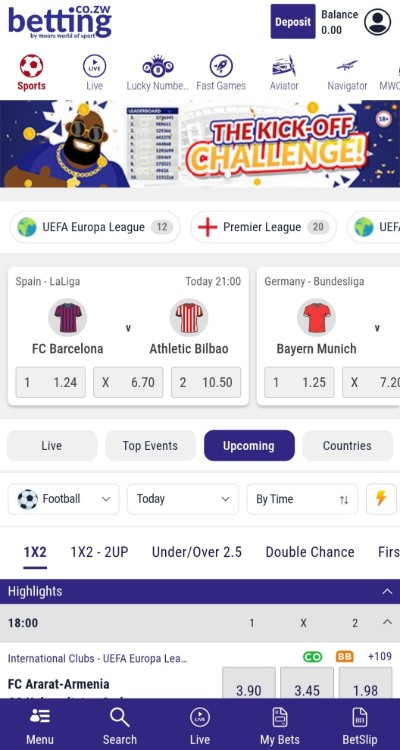
Make your way to the MWOS official website. Again, you can click any banners on this page to save time. For future MWOS Zimbabwe login, simply launch the site from your mobile browser or app if you’re an Android user.
Step 2: Sign In
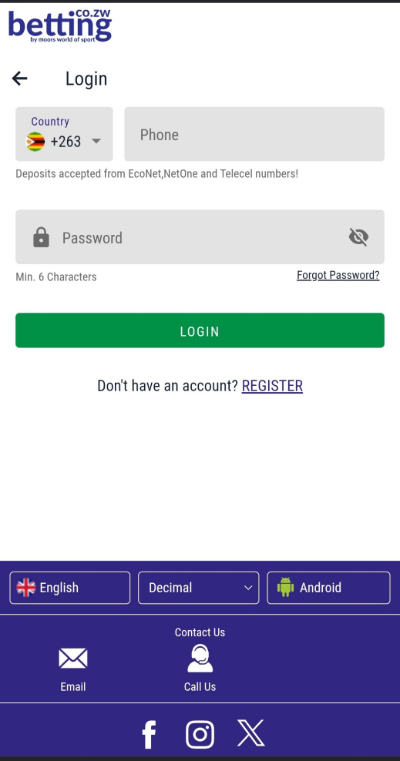
Tap on the red “LOGIN” button next to the “JOIN” tab. Enter the phone number and password you submitted during registration. Click the green Login tab.
Step 3: Log in
You’re logged into your MWOS betting account. Go ahead and browse through the available sports betting markets or casino games. Deposit funds and place your wager once funds credit your betting account.
What is the MWOS Registration Bonus for New Players?
MWOS rewards new users with a registration offer. However, the MWOS welcome bonus is only for sports bettors. A casino sign up deal wasn’t available at the time. Sports bettors can claim a free bet worth up to $500.
To get this free bet bonus, you must deposit funds and wager up to 3 times your bonus amount. Each wager must have a minimum of 3 selections, totaling 5.0 odds. Once your wager settles, you receive your free bet, no questions asked. It doesn’t matter if you lose your bet.
Facing Challenges Registering or Logging In? Here Are Some Solutions
MWOS aims to keep registration and login quick and painless. However, it’s quite normal to face a few challenges during MWOS login registration. Thankfully, there are ways to get around these. We’ll run through some of them below.
Mobile Number Already Registered
Don’t bother trying to set up another MWOS account using a phone number you’ve already used to register. The system immediately picks up on this anomaly and blocks registration. The same applies to using an already registered email address.
ID Error
The system will reject your ID number if you submit incorrect details. Make sure you enter the correct ID number with no missing digits or letters.
Age Restriction
MWOS will reject your application if your date of birth shows you’re below the age of 18. Only attempt to register if you’re at least 18 years old. No exceptions.
Weak Password
Your registration process can be stopped dead in its tracks if you enter a weak or incorrect password. Your password should have at least 6 characters. You can opt for the strong password suggested by the site if you can’t think of anything rock solid right now.
Wrong Password
Your MWOS Zimbabwe login will fail if you enter the wrong password. If you happen to forget your password, click on “Forgot Password” and enter your phone number. You’ll receive a 5-digit code via SMS that you must enter and follow the Password Recovery prompts.
Register with MWOS in 1 Minute
It’s pretty cut and dried to MWOS register online. The entire process takes only a few minutes. Logging in takes seconds. MWOS does away with the complex registration forms that require a ton of information. You don’t even need to verify your phone number from the start. It’s a seamless process all around.
-
MWOS100% up to $500
MWOS Register and Login FAQs
-
Can I log in via the MWOS app?
-
Is SMS verification mandatory during registration?
-
What do I need to submit for KYC verification?
-
Can I edit information in my account profile?